Assistant
Assistant
The Assistant serves as an intelligent support module within the system that helps users manage and analyze project-related documents efficiently. It provides tools such as Knowledge Base for centralized document reference and Compliance for ensuring that uploaded files meet project standards and requirements. Through these features, the Assistant simplifies document handling, enhances accuracy, and supports better decision-making in project documentation workflows.
Knowledge Base
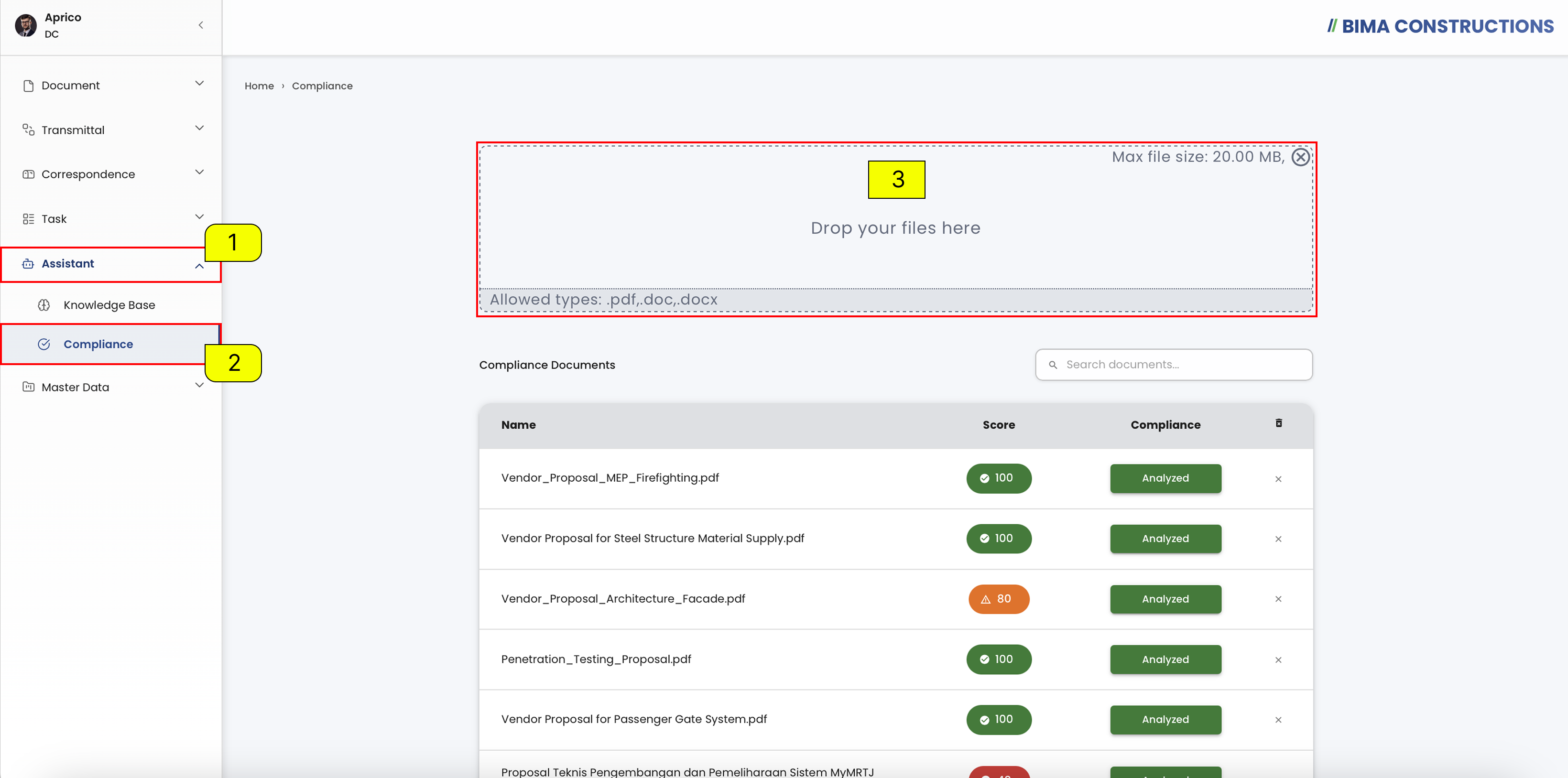
The Knowledge Base feature functions as a centralized storage area for reference documents within the system. It allows users to upload, manage, and access key documents that can serve as guidelines, procedures, or references for project operations.
Open Knowledge Base
- The Document Controller can click on the
Assistantmenu button to expand its submenu.- The Document Controller can click the
Knowledge Basemenu under the Assistant section to open the page.- The Document Controller can upload files by dragging and dropping them into the upload box or by selecting them from the device. The maximum file size allowed for each upload is 20 MB and supported file types are .pdf, .doc, and .docx.
Compliance
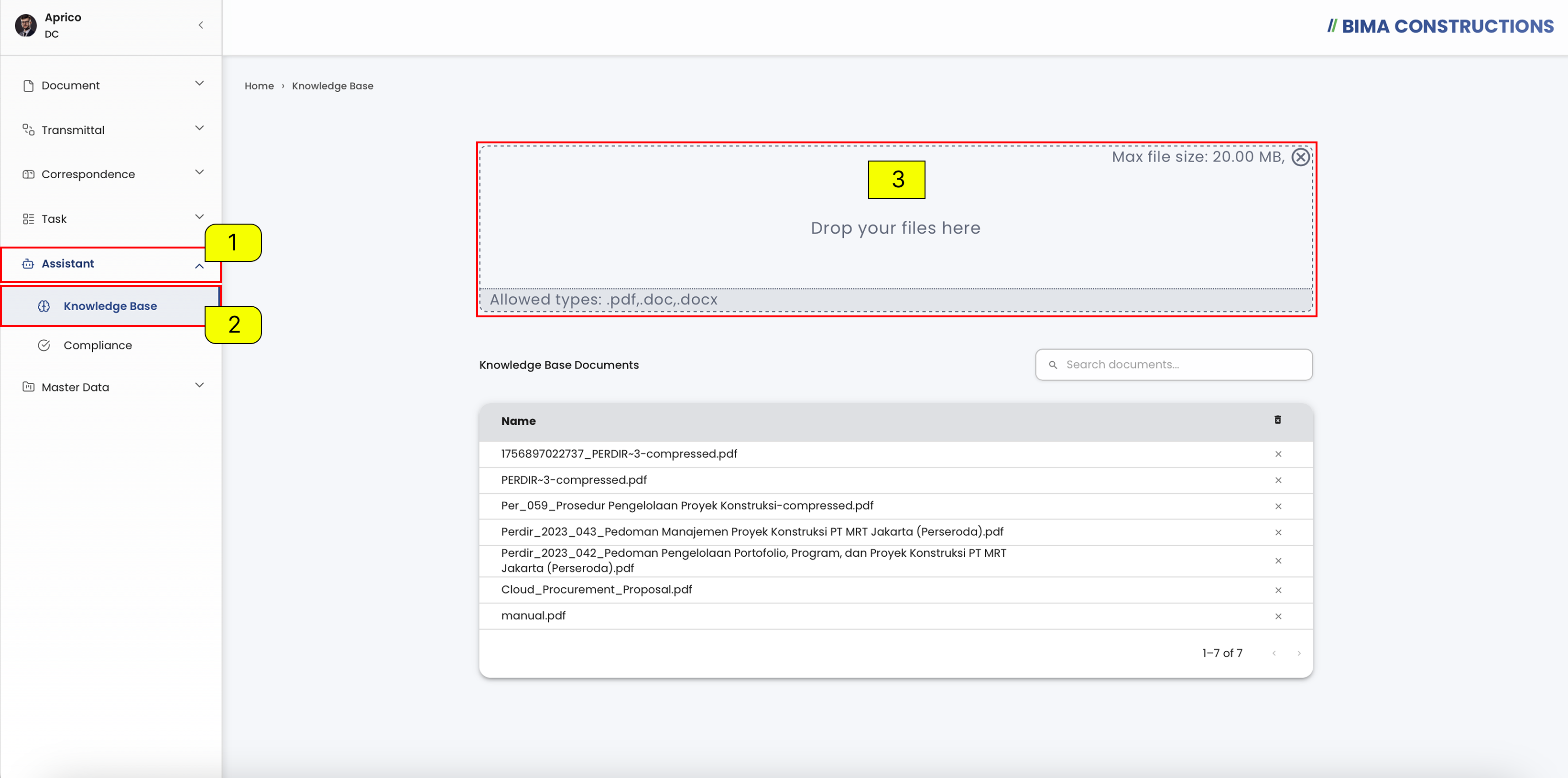
The Compliance feature functions to analyze and evaluate uploaded documents to ensure they meet the specified project standards or requirements. This helps users verify the conformity level of vendor proposals or technical documents before approval or further processing.
Open Compliance
- The Document Controller can click on the
Assistantmenu button to expand its submenu.- The Document Controller can click the
Knowledge Basemenu under the Assistant section to open the page.- The Document Controller can upload files by dragging and dropping them into the upload box or by selecting them from the device. The maximum file size allowed for each upload is 20 MB and supported file types are .pdf, .doc, and .docx.