Assign Task to Project Leader
1. Assign Task to Project Leader
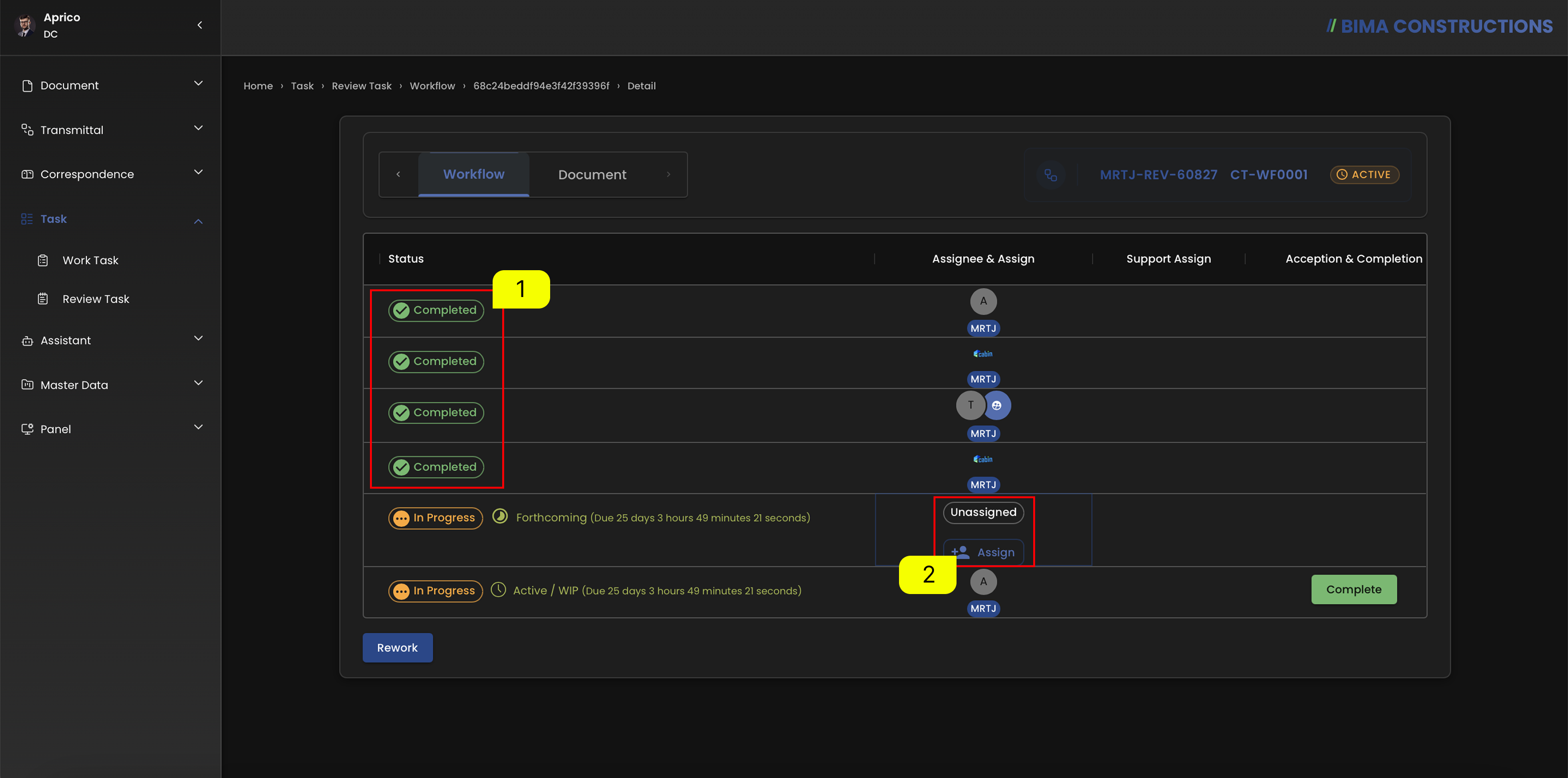
- Before assigning the task to the Project Leader, make sure that the job status on the other USER role is
Completed. - USER can click the
Assignbutton to display theEdit task assignmentpanel to start setting up the deadline for completing the task.
2. Setting Up the Due Date
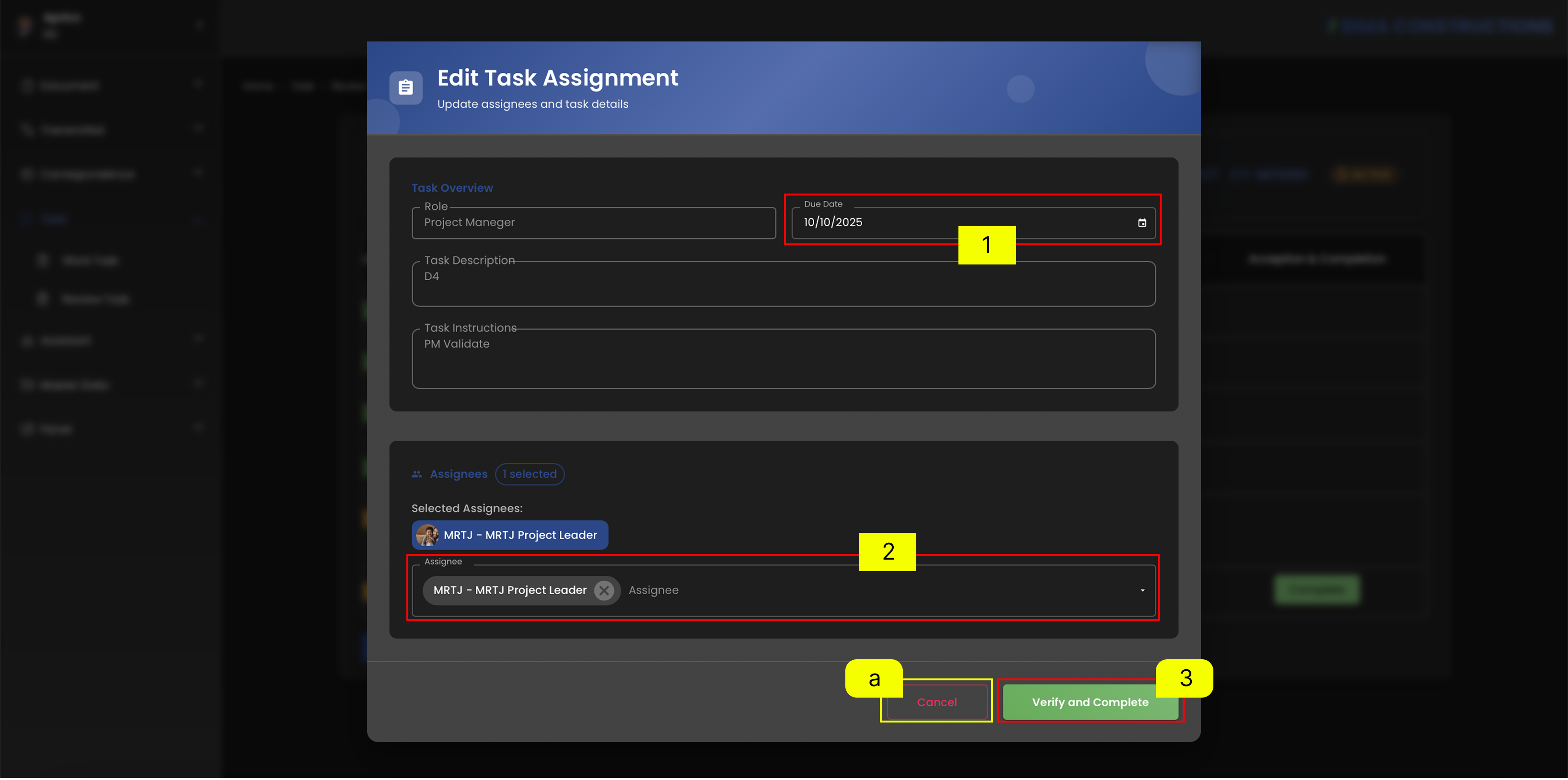
- Document Control can set the deadline for completing the task first.
- Document Control indicate to whom the task will be assigned, which in this case will be given to the Project Leader.
- If DC done on make sure of the data for the task are input correctly, DC just need to click on the
Verify and Completebutton. However, if the DC is not sure about the data, DC can click the Clear symbol marked with theletter a.
3. Assign Task Finished
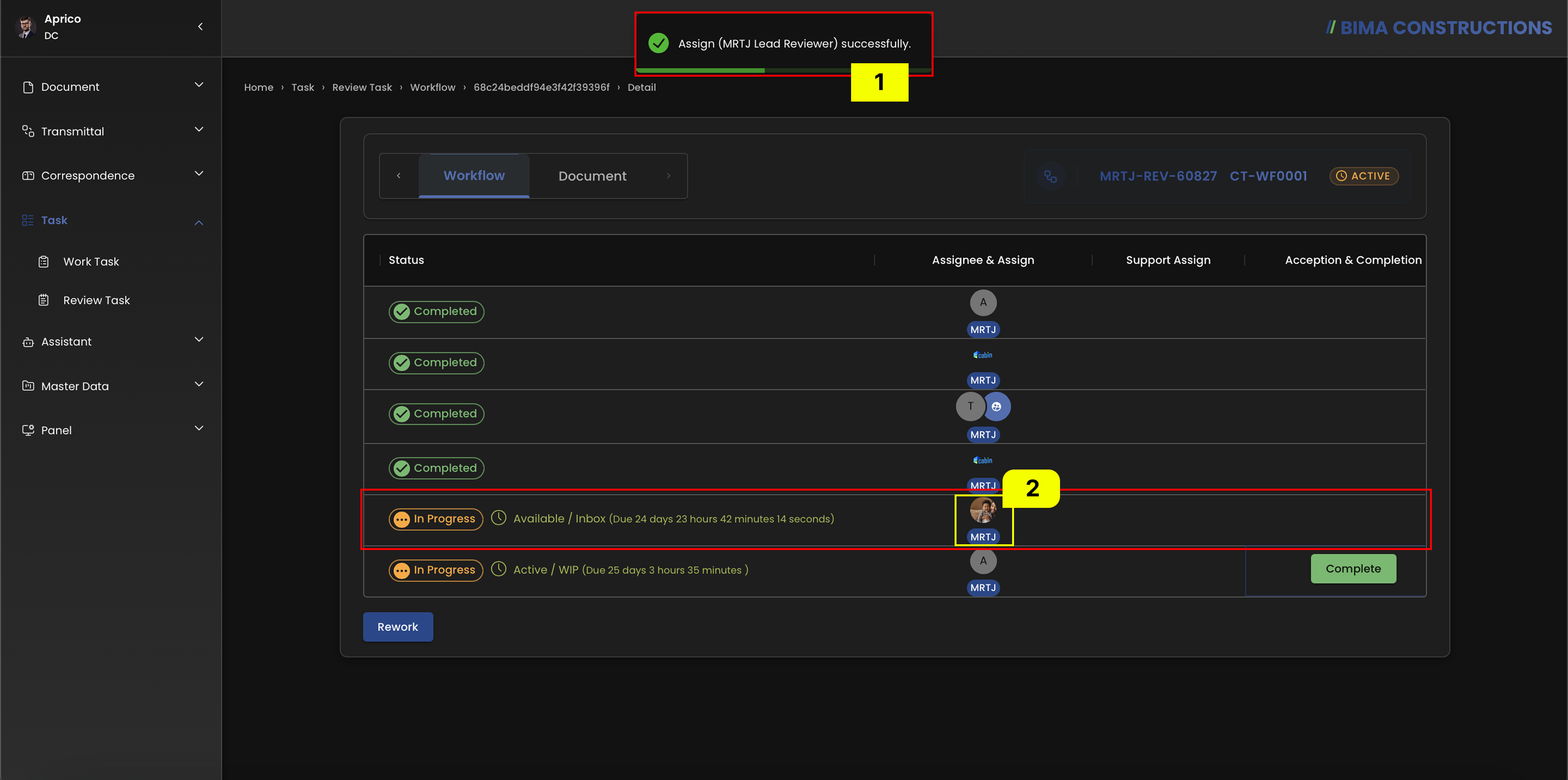 After finishing up the Assigning Task, a notification will appear saying
 Assign [Username] Successfully.