Registration
The Registration process is required for USERS to access the BIMA Construction and BIMA Projects applications.
Registration Process
1. Open Registration Page/Form
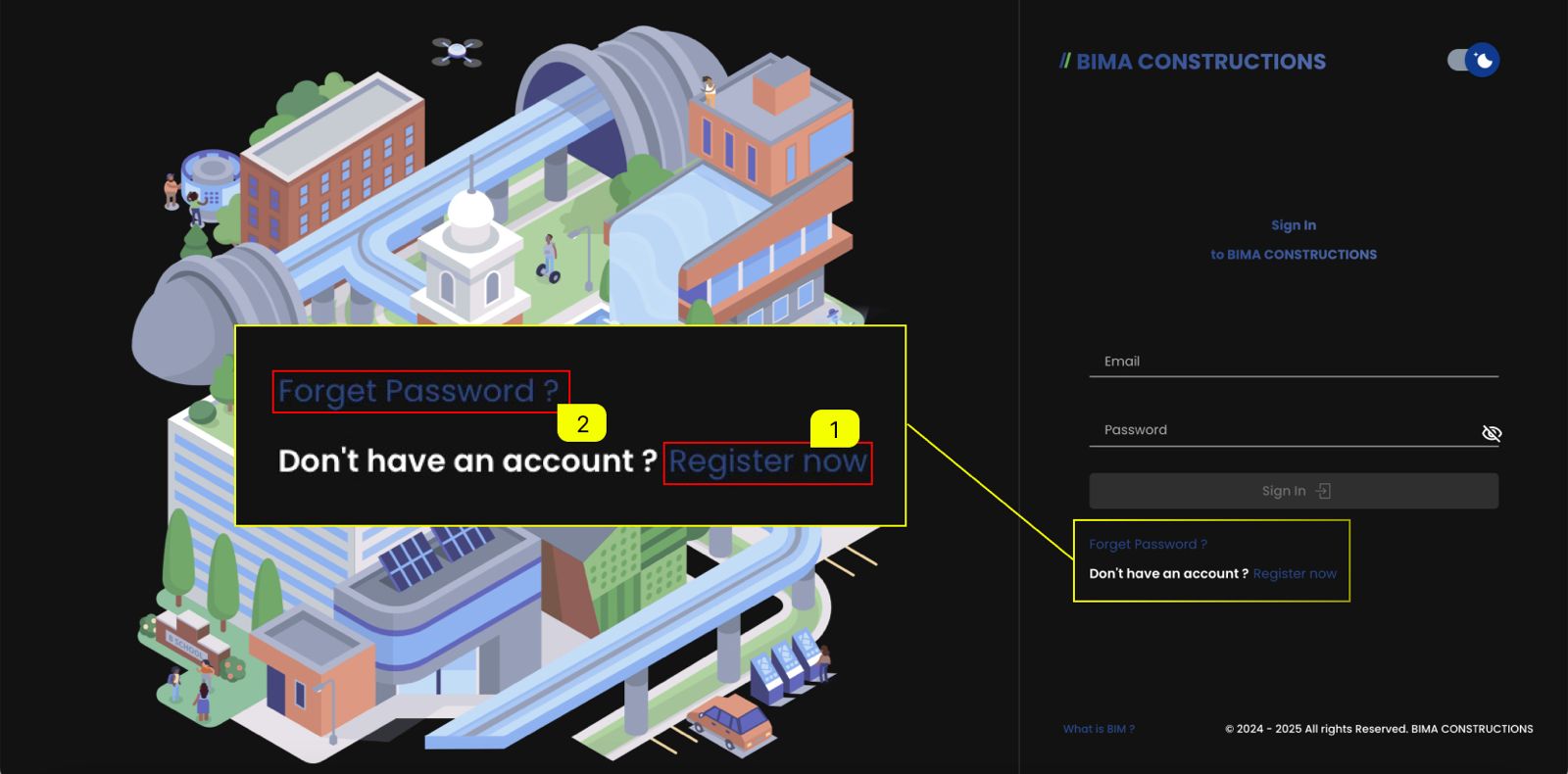 On the Landing/Login page, All USER will come through a sign-in form, like from the picture above.
- If the USER want/dont have an account, USER can make it by clicking the
Register nowhyperlink. - If the USER already have an account but forgot their password, USER can click on the
Forgot Passwordhyperlink and follow this process Forgot Password.
2. Fill In the Registration Form
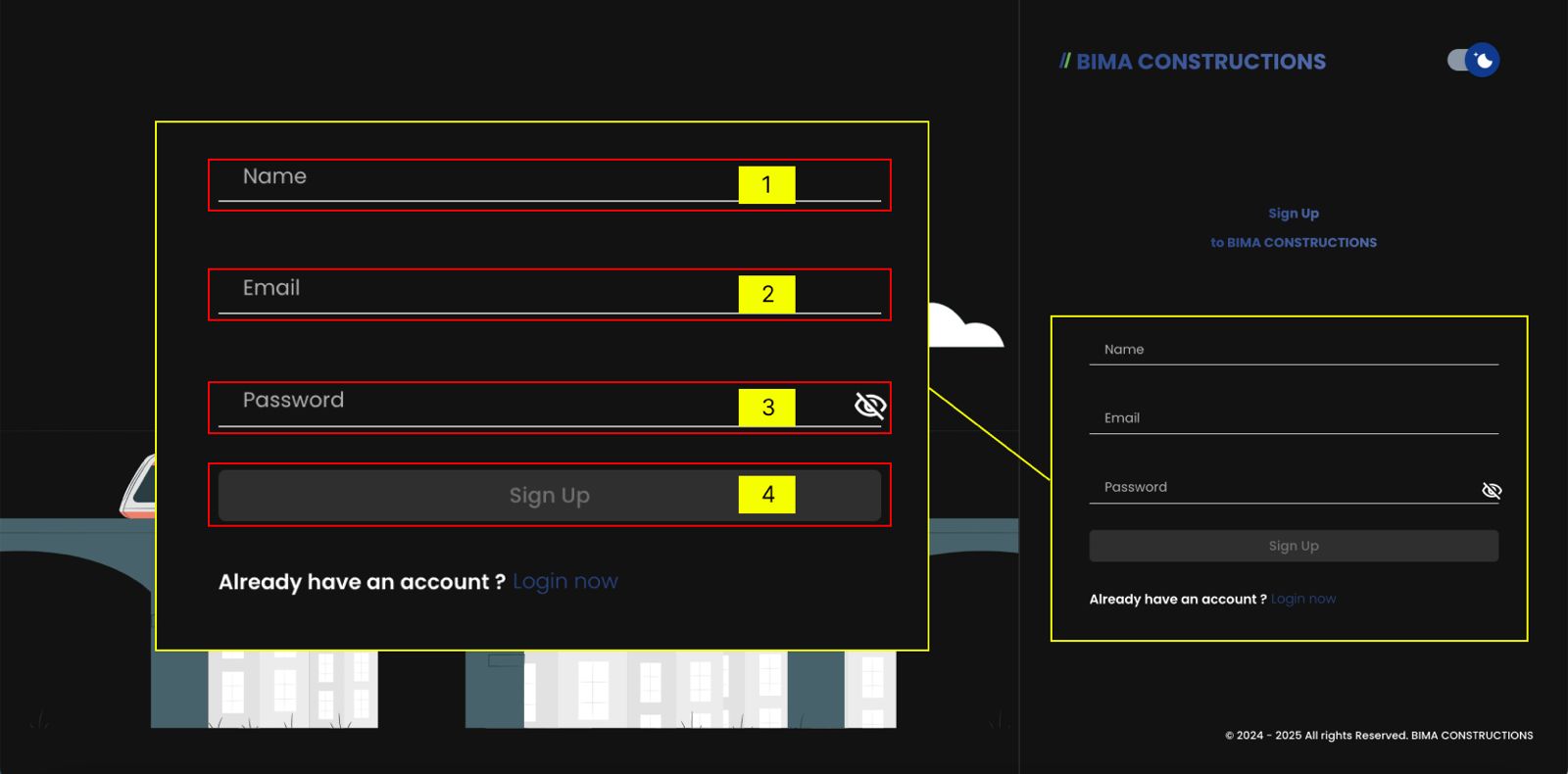
- USER can fill in the Name field with their full name.
- USER can fill in the email (Make sure the email used are the company email which USER are from).
- When creating a new account, USER must set a password that follows these rules:
- Password must be at least 6 characters long.
- Password must contain at least 1 uppercase letter.
- Password must contain at least 1 numeric character.
- Password must contain at least 1 symbol.
- Password cannot contain space characters.
- Password cannot contain the following characters (, . < > ? / : : " [ ] \ | + = - -).
- If the USER already sure about the name, email & password, then the USER can click on the
Sign Upbutton.
3. Verify Your Account
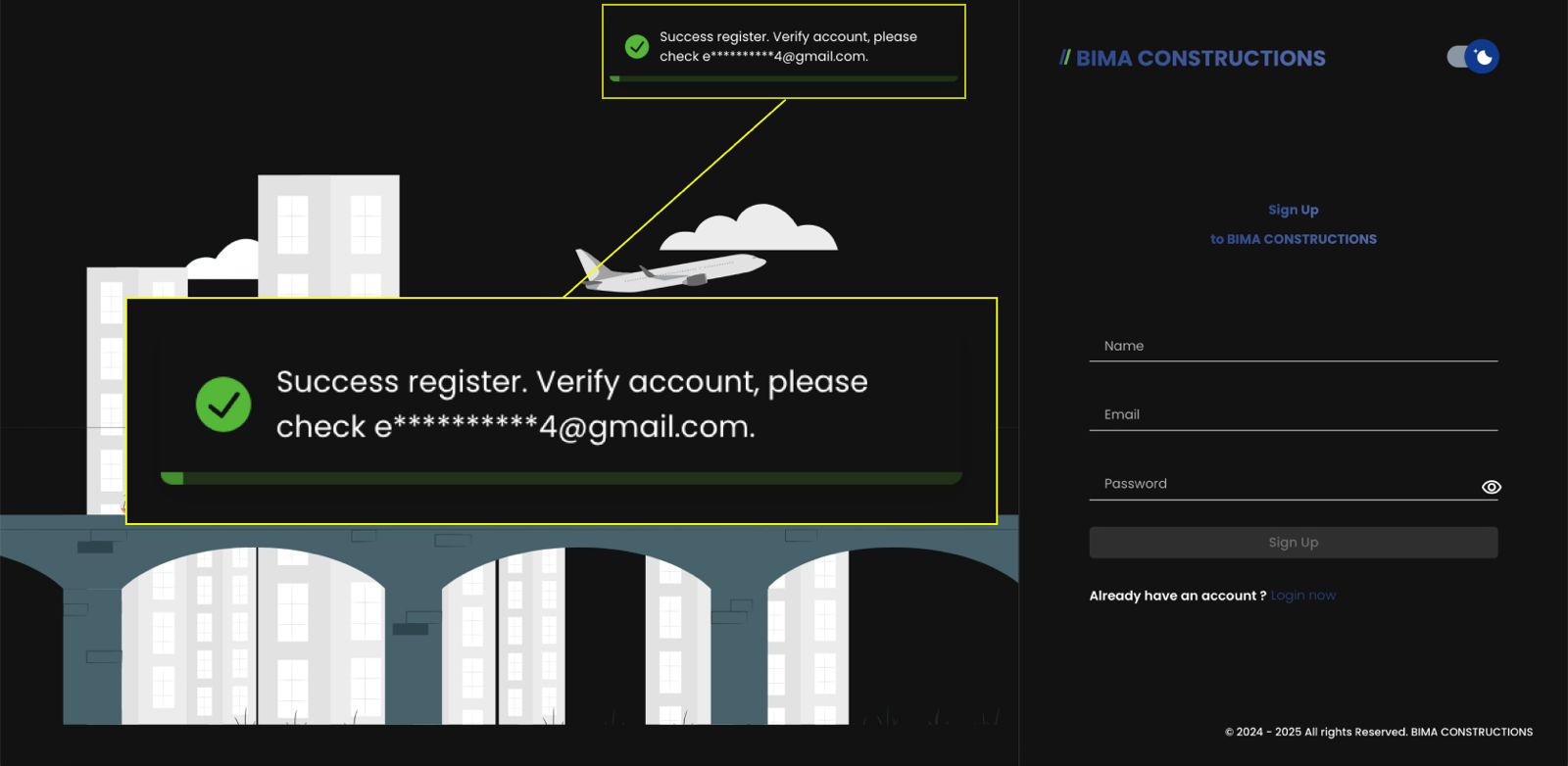 After successfully registering, a message will appear asking you to verify your account and check your email.
4. Check Your Email Inbox
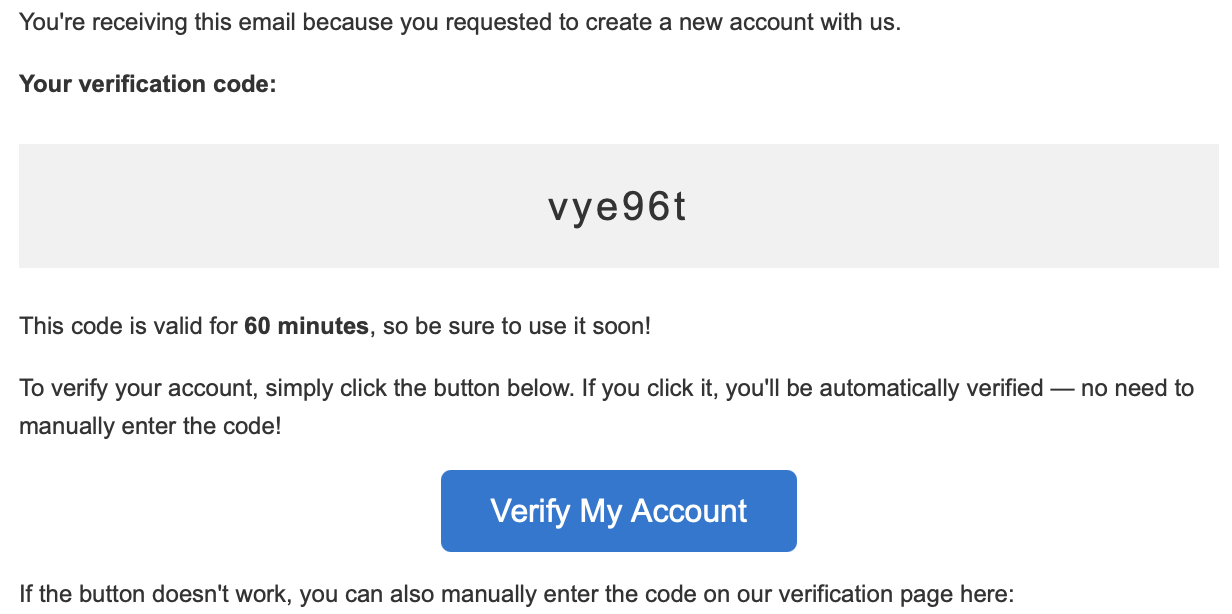 You will receive an email containing a verification code and a button to verify your account. Click the
 Verify My Account button to proceed.
If the button doesn't work, you can manually enter the verification code. This code is valid for only 60 minutes.